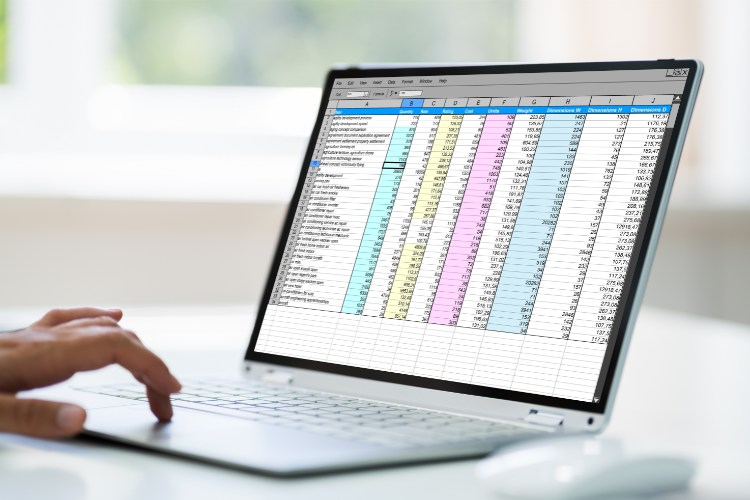
Introduction: The Accounting Landscape for Small Businesses
Accounting data is the backbone of any small business. While Excel spreadsheets are available and are very widely used, they may not be the best way to run your business when it comes to accounting. The smartest organisations are using online accounting software like Xero to manage their company’s real-time financial data. This article delves into the pros and cons of using Excel vs Xero for your accounting needs.
Excel vs Xero: The Contenders
Microsoft Excel is a spreadsheet software that many businesses often start out using. It is easy to use, flexible, and does not require any special training. Xero, on the other hand, is cloud-based accounting software designed to meet the specific needs of small businesses. But which is better? Let us find out.
Key Considerations: What to Look for in Accounting Software
Financial Data Accuracy
- Excel: Data entry and potential mistakes are a big concern. Spreadsheets created while using Excel are susceptible to fraud because it is easy to change information and hard to keep track.
- Xero: Automatically recognises double entries, providing a better way to handle your accounting data.
Ease of Use
- Excel: Lots of Excel users often misjudge their level of expertise. You need to know exactly how to set up an Excel spreadsheet that meets all of your financial needs.
- Xero: Designed with small business owners in mind, it offers a user-friendly interface and reports that are easy to understand.
Collaboration and Accessibility
- Excel: Does not integrate with other small business applications, limiting the way you can share data online anytime.
- Xero: All your real-time financial data is kept in one central place – online, making it easier to integrate with other small business software and share data with an accountant or financial advisor.
Cost and Time Efficiency
- Excel: Free to use but can be time-consuming when you work with large amounts of data.
- Xero: While not free, it saves you time, completing tasks in minutes instead of hours.
Why Move from Excel to Accounting Software like Xero?
Better Financial Management
Xero gives you a complete, real-time view of your cash flow, profit and loss, and balance sheet — all updated automatically as transactions come in. Unlike a spreadsheet, where figures are only as current as your last manual update, Xero pulls data directly from your bank feeds and reconciles it for you.
This means you can make informed decisions based on today’s numbers, not last month’s. For growing businesses, that visibility is the difference between spotting a cash flow problem early and finding out too late.
Improved Security
Excel files sit on a hard drive or shared folder with no audit trail. Anyone with access can change a figure, and you would never know. Xero uses bank-level encryption, two-step authentication, and automatic backups to keep your financial records safe.
Every change is logged with a timestamp and user ID, giving you a full audit trail. If you ever face an HMRC enquiry or need to trace a discrepancy, that record is invaluable.
Enhanced Collaboration
With Xero, your bookkeeper, accountant, and business partners can all access the same live data from anywhere — no emailing spreadsheets back and forth, no version control headaches. You control exactly who sees what through user permissions and role-based access.
This is particularly useful at year-end: your accountant can review your records and prepare filings without you needing to send a single file.
Does HMRC Recognise Xero?
Yes. Xero is fully Making Tax Digital (MTD) compatible and is recognised by HMRC for submitting VAT returns digitally. Since April 2022, most VAT-registered businesses have been required to keep digital records and submit returns through MTD-compatible software. Xero handles this natively — you can file your VAT return directly to HMRC from within the platform.
For businesses preparing for MTD for Income Tax (rolling out from April 2026), Xero is already building support for the new requirements, making it a future-proof choice.
Why Do Accountants Prefer Xero?
Most UK accountants now recommend cloud software over spreadsheets, and Xero consistently ranks as the preferred platform. The reasons are practical: Xero gives accountants direct access to client books without waiting for files to be sent. Bank feeds update daily, which means reconciliation is faster and errors are caught sooner.
Xero’s app marketplace also connects to over 1,000 third-party tools — from payroll and inventory to CRM and project management — allowing accountants to build efficient workflows tailored to each client’s needs.
Excel vs Xero: Quick Comparison
| Feature | Excel | Xero |
|---|---|---|
| Bank feeds | Manual import | Automatic daily sync |
| VAT returns | Manual calculation | One-click MTD filing |
| Multi-user access | File sharing only | Role-based live access |
| Invoicing | Manual templates | Automated with payment tracking |
| Audit trail | None | Full change history |
| Reporting | Build from scratch | 50+ built-in reports |
| Cost | Included with Microsoft 365 | From £15/month |
Conclusion: Making the Right Choice for Your Business
Excel remains a useful tool for quick calculations and one-off analysis, but it was never designed to run a business’s accounts. As your business grows, the risks of manual data entry, version conflicts, and limited reporting become harder to ignore.
Xero offers a purpose-built alternative that saves time, reduces errors, and gives you the financial clarity to make confident decisions. If you are still running your accounts on spreadsheets, get in touch with our team to discuss how we can help you make the switch.
If you’re ready to make the switch, take a look at our guides on Xero bank feeds and reconciliation, configuring user permissions in Xero, and migrating from QuickBooks to Xero. Our overview of Xero integrations with third-party apps is also worth a read.
Still not sure? Read our full breakdown of why businesses switch to Xero.
We’ve also written a practical guide to moving from spreadsheets to Xero.
Our our Xero specialists can help you get set up and running on Xero.