What Is Accounts Payable in Xero?
Accounts payable (AP) is the money your business owes to vendors for goods or services you’ve already received but haven’t paid for yet. It sits as a liability on your balance sheet – and if you don’t manage it properly, it can quietly wreck your cash flow. JacRox by Jack Ross Chartered Accountants can help.
In your Xero account, accounts payable lives under the “Bills to Pay” section. Every time you receive an invoice from a vendor, you enter it as a bill. Xero tracks the due date, payment terms, and outstanding amount automatically. That’s the core of the accounts payable process in any accounting software, but Xero makes it genuinely quick.
The difference between accounts payable and accounts receivable is simple. AP is what you owe. Accounts receivable (AR) is what others owe you. Both affect your cash flow, and Xero handles them in one place. Is accounts payable a debit or a credit? It’s a credit on your balance sheet – a current liability that increases when you receive a bill and decreases when you pay it.
Managing Bills and Supplier Invoices in Xero
The full accounts payable process in Xero starts when a vendor invoice lands in your inbox. Here’s how it works in practice:
Enter the bill. Go to Business > Bills to Pay > New Bill. Add the supplier, invoice number, due date, and line items. Xero maps each line to the right accounting code in your chart of accounts.
Set payment terms. You can set default payment terms per supplier – net 7, net 14, net 30, whatever you’ve agreed. Xero calculates due dates automatically and flags bills approaching their deadline.
Use purchase orders. If your business raises a purchase order before buying, Xero lets you create POs and convert them directly into bills when the invoice arrives. Three-way matching – comparing the purchase order, goods received, and invoice – catches pricing errors before you pay.
Pay bills on time with batch payments. Instead of paying vendors one at a time, Xero lets you schedule payments in batches. Select the bills due this week, create a batch payment file, and upload it to your bank. This saves time and keeps supplier relationships healthy.
The Aged Payables Report: Your AP Dashboard
The aged payables report in Xero shows every unpaid bill grouped by how overdue it is – current, 1-30 days, 31-60 days, and 60+ days. It’s the single most useful report for managing accounts payable in a small business.
What should you watch for? Bills creeping into the 60+ column are a red flag. Either you’ve missed a payment or there’s a dispute with the vendor. Xero makes it easy to drill down into any line and see the original bill, payment history, and any credit notes applied.
If a vendor sends a credit note – say they overcharged you or you returned goods – you record it in Xero and it offsets against the next bill automatically. For genuine bad debts where a vendor has gone under and owes you a refund that’s never coming, you can write off the amount directly.
How to Automate Accounts Payable in Xero
Manual data entry is where most AP mistakes happen. You can automate large parts of the process in your Xero account to save time and reduce errors.
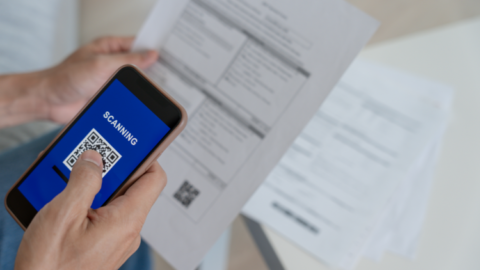
Dext (formerly Receipt Bank). Snap a photo of an invoice or forward the email to Dext. It extracts the vendor name, amount, date, and line items, then pushes the bill straight into Xero. No typing. You can automate invoice processing this way and save hours per week if your business handles more than 20 bills a month.
Bank rules. Set up rules in Xero so recurring payments from the same vendor get coded to the right accounting code automatically during bank reconciliation. Once a rule is created, Xero suggests the match every time that payment appears in your bank feed.
Repeating bills. For fixed monthly costs like rent, software subscriptions, or retainers, you can automate these with repeating bills. Xero creates them each month so you don’t forget to record the expense.
Approval workflows. If multiple people in your business need to sign off on payments, Xero’s approval workflow routes bills to the right approver before they can be paid. You can also automate reminders for pending approvals, which is particularly useful for businesses with separate finance and operations teams.
Does Xero Do Accounts Payable?
Yes. Xero handles the full accounts payable process out of the box. You can enter bills, track invoices, set payment terms, run aged payables reports, and pay bills in batches. It’s a proper accounting platform, not a basic bookkeeping tool. For businesses that need more AP automation – like automated invoice processing, multi-level approval workflows, or three-way PO matching at scale – Xero connects with dedicated accounts payable software through its app marketplace. Apps like Lightyear, ApprovalMax, and Zahara plug directly into your Xero account.
How Do I Record an Account Payable?
In Xero, go to Business > Bills to Pay > New Bill. Select the supplier (or add a new one), enter the invoice number and date, set the due date based on your agreed payment terms, and add line items with the correct accounting codes and VAT rates. Save it as “Awaiting Payment” and it immediately shows up in your aged payables report and cash flow forecast.
If you’re using Dext or another receipt capture app, you can automate this step entirely. The bill gets created automatically from the vendor invoice – you just review and approve it in your Xero account.
Accounts Receivable in Xero
While AP tracks what you owe, accounts receivable tracks what’s owed to you. In Xero, you create sales invoices, send them to customers, and track payment status in the aged receivables report.
Payment reminders are one of Xero’s most useful AR features. Set up automatic email reminders for overdue invoices – Xero sends them on a schedule you choose without you lifting a finger. For customers who consistently pay late, you can add late payment terms or require payment upfront.
Credit notes work the same way on the AR side. If you need to refund a customer or correct an invoice error, create a credit note and allocate it against the original invoice. Xero adjusts the outstanding balance automatically.
Real-Time Cash Flow and HMRC Compliance
Xero’s bank feeds pull transactions from your business bank account daily, sometimes multiple times a day. Every payment you make to a supplier and every payment you receive from a customer flows in automatically, ready for bank reconciliation.
This real-time visibility means you always know your actual cash position – not what it was last week or last month. The short-term cash flow projection in Xero uses your outstanding AP and AR to predict when money will come in and go out over the next 30 days.
For UK businesses, Xero UK is HMRC-recognised for Making Tax Digital (MTD). Your VAT returns pull directly from the same transaction data you use for AP and AR, so there’s no double-handling. File your VAT return to HMRC from inside Xero in a few clicks.
Does HMRC recognise Xero? Yes – Xero has been MTD-compatible since the programme launched. It’s on HMRC’s official list of compatible software for VAT, and it’s ready for MTD for Income Tax when that rolls out for self-employed individuals and landlords.
Getting AP Right Matters
A messy accounts payable process costs you money in late payment fees, damages supplier relationships, and makes your cash flow unpredictable. Xero gives small businesses the accounting tools to manage AP properly without needing a dedicated finance team.
If you’re still tracking invoices in spreadsheets or losing paper bills in a drawer, switching to Xero’s AP workflow is one of the highest-impact changes you can make. We set up and manage Xero accounts payable for businesses across Manchester and the UK – get in touch if you want help getting it right.
Looking for help? Our our Xero accounting experts work with businesses like yours every day.